
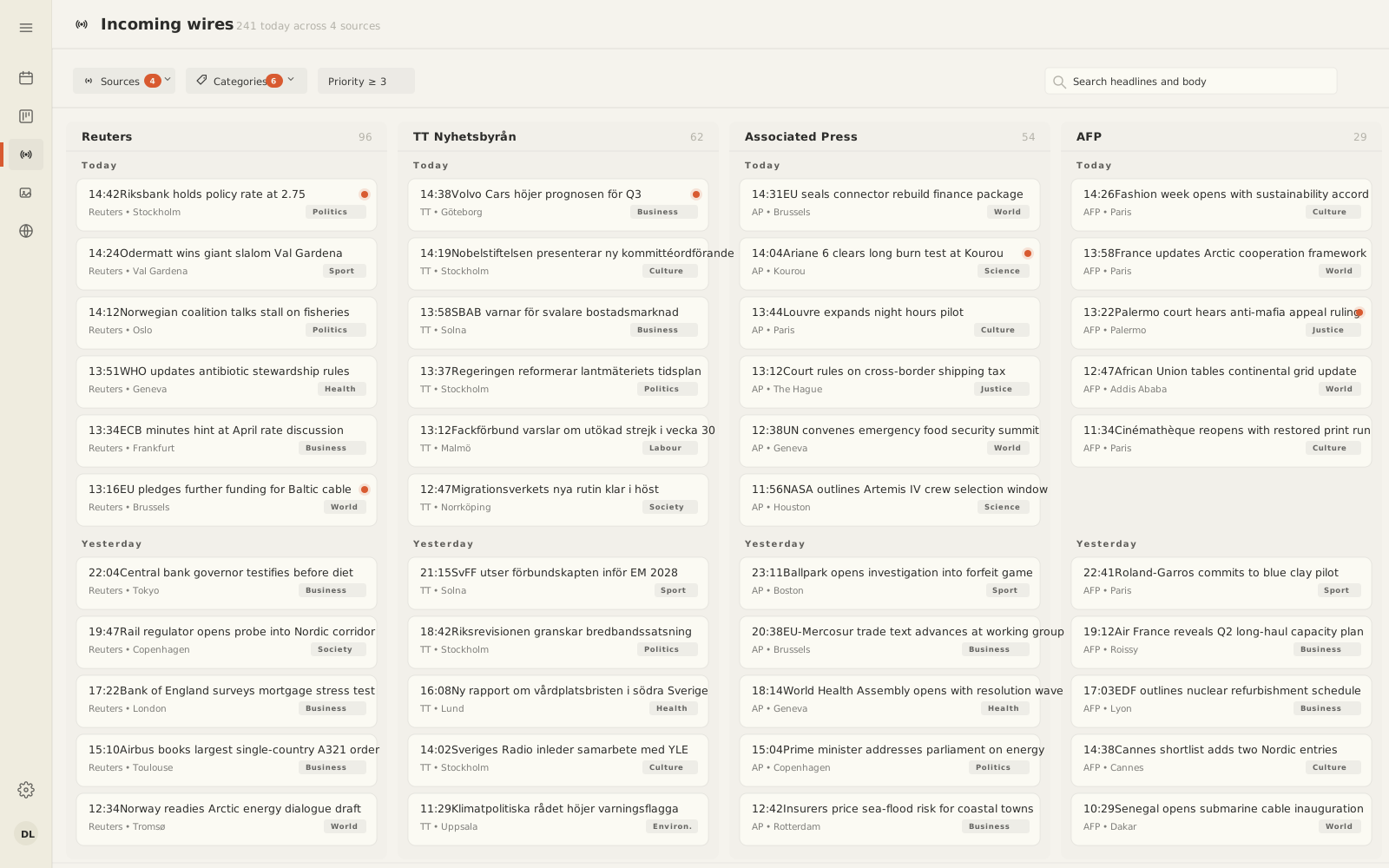
Wire ingest
Reuters, TT, AP or an in-house feed.
Wires land as drafts, categorised by IPTC topic and prioritised on arrival.
Modes
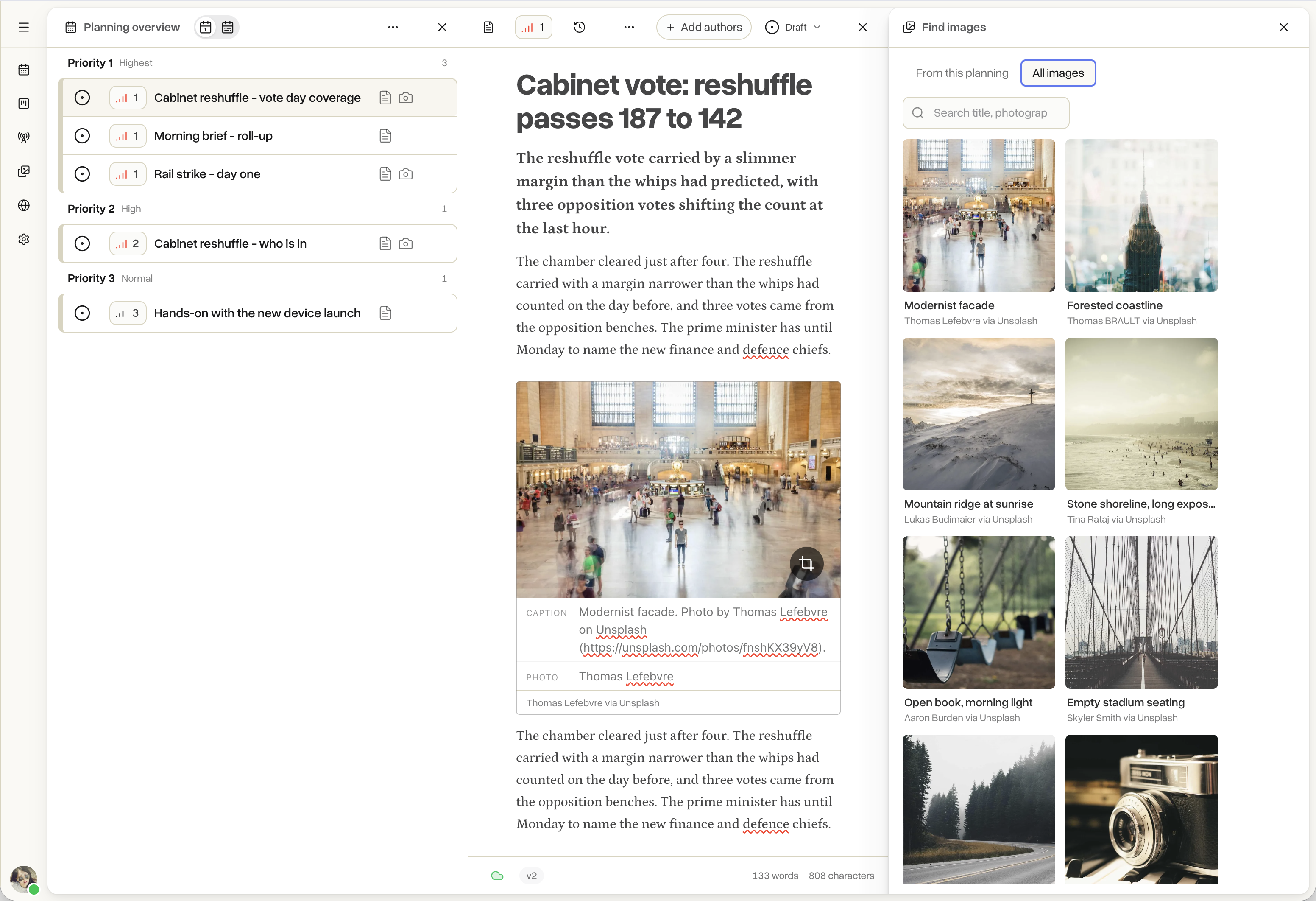
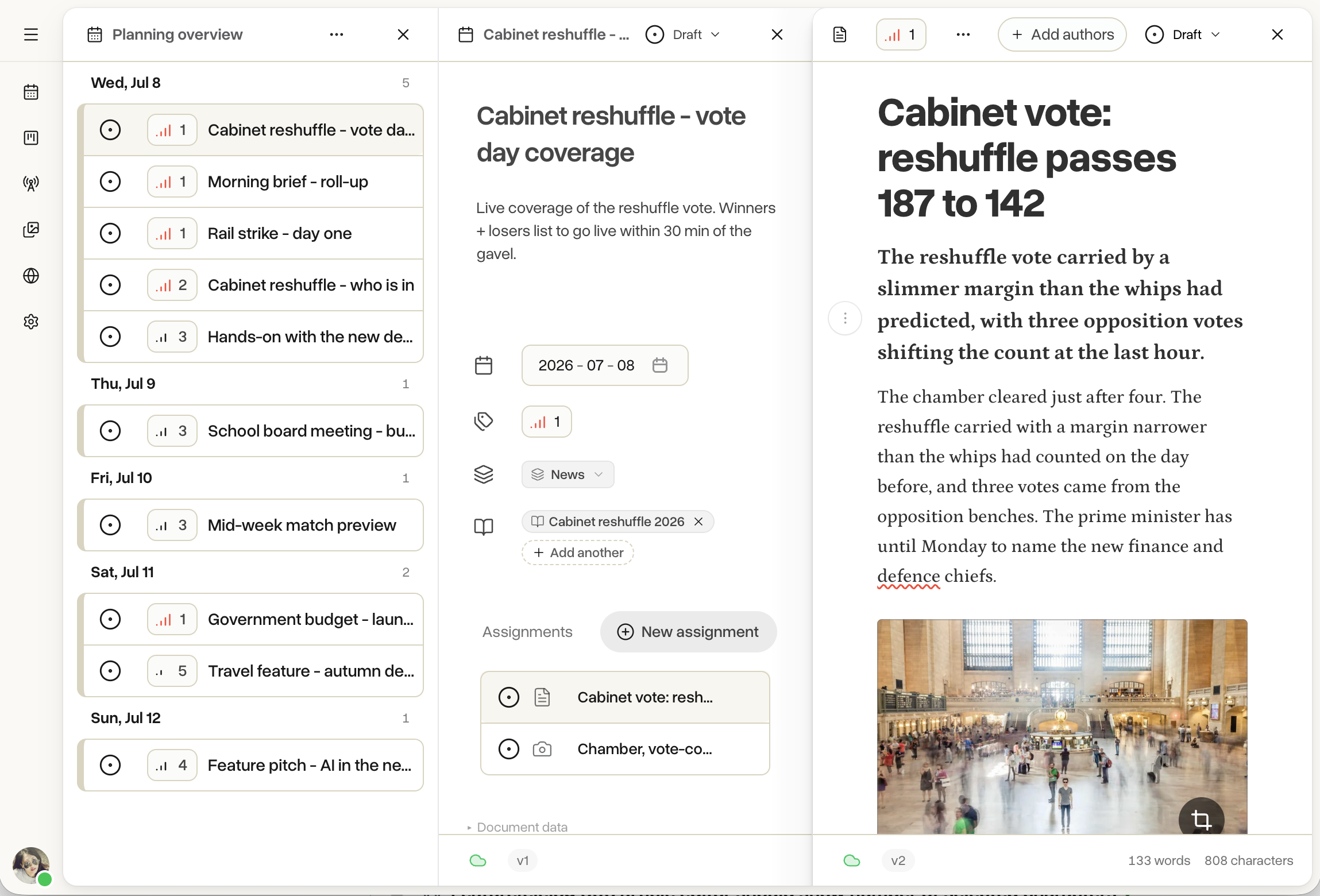
One setting decides whether editors see the full planning desk (assignments, workflow chips, roles, audit trail) or a stripped-down write-and-publish view. Change it back at any time, without migrating anything.

Simple mode
Planning and workflow controls stay out of the way. Draft, headline, publish - that is the whole thing.

Planning mode
Plan the day as a list of stories with assignments and deadlines. Every article carries a workflow state and a full audit trail of who changed what.
Workflows
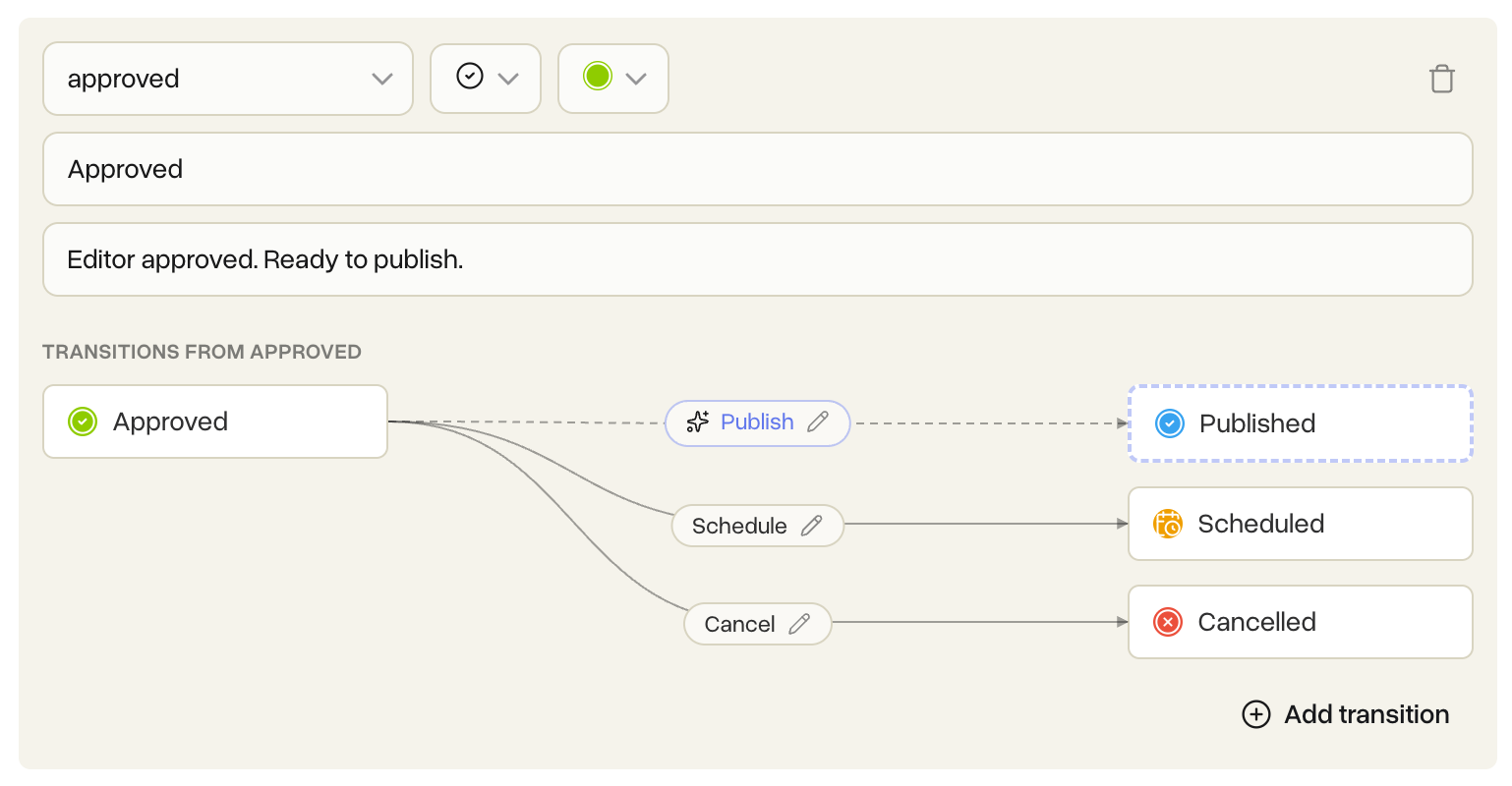
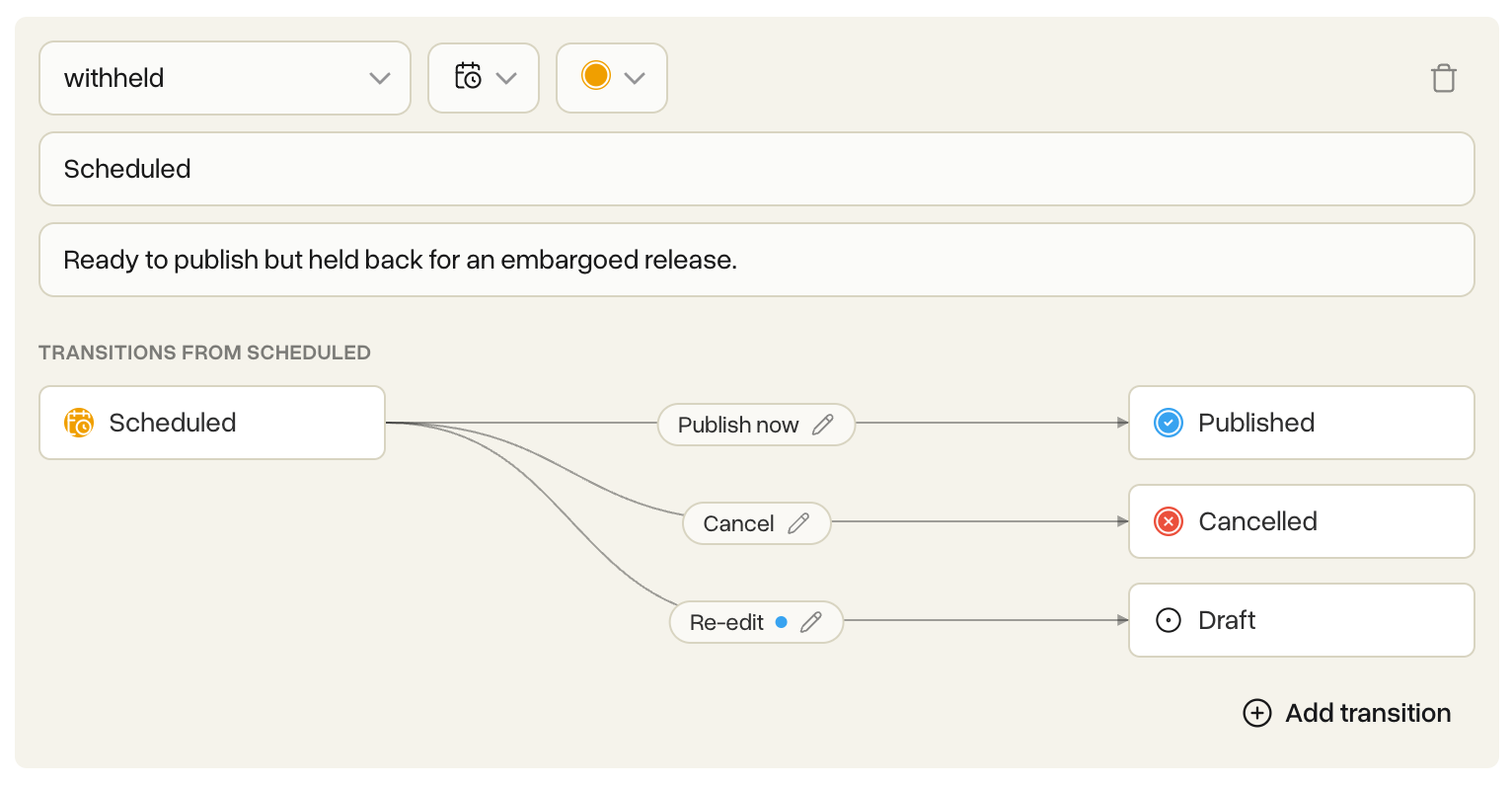
Draft, review, cancelled, withheld, published - or whatever your desk actually calls those steps. Draw the states, connect the arrows between them and decide which roles are allowed to move an article from one step to the next. Version bumps, confirmation prompts and AI steps are all tied to individual transitions, so you have precise control over what happens each time an article moves.


Wires and AI
Wires come in from Reuters, TT, AP or an in-house feed. They land categorised by topic and can trigger AI steps at any point in your workflow - translate the story, summarise it, rewrite it in your house voice. The output always arrives on an editor's desk before it reaches a reader. Use your own AI provider or run the models included with Tidenda.
Wire ingest
Wires land as drafts, categorised by IPTC topic and prioritised on arrival.

AI on the workflow
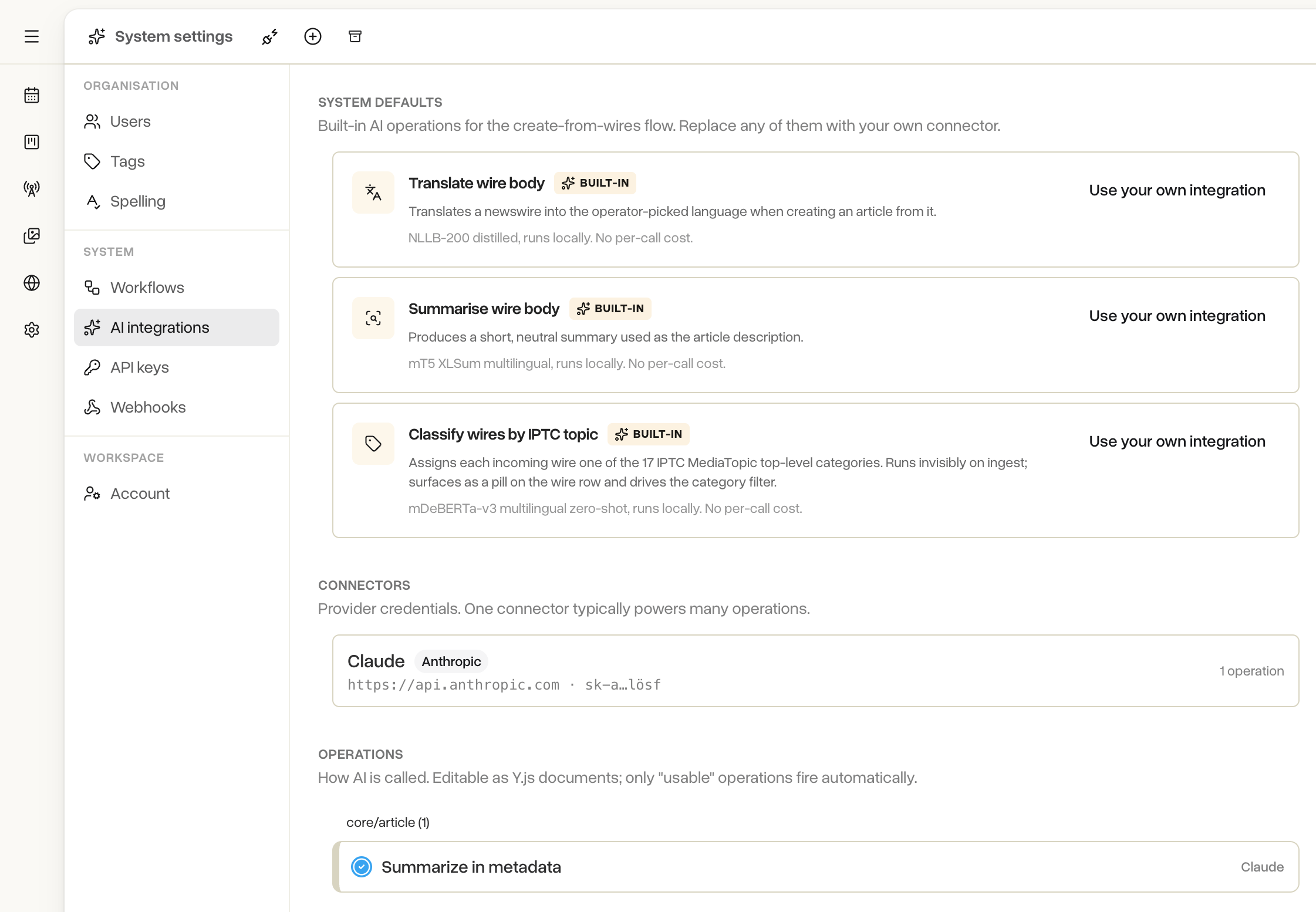
Translate, categorise, rewrite, summarise. A snapshot is taken before every AI step, so a bad model output can never corrupt an article - it is always one click to roll back.
Local models included
NLLB-200 (translation), mT5-XLSum (summarisation) and mDeBERTa (categorisation) ship with Tidenda and run inside your deployment at no per-request cost. Point at OpenAI, Anthropic or Mistral whenever you need to.
Audio
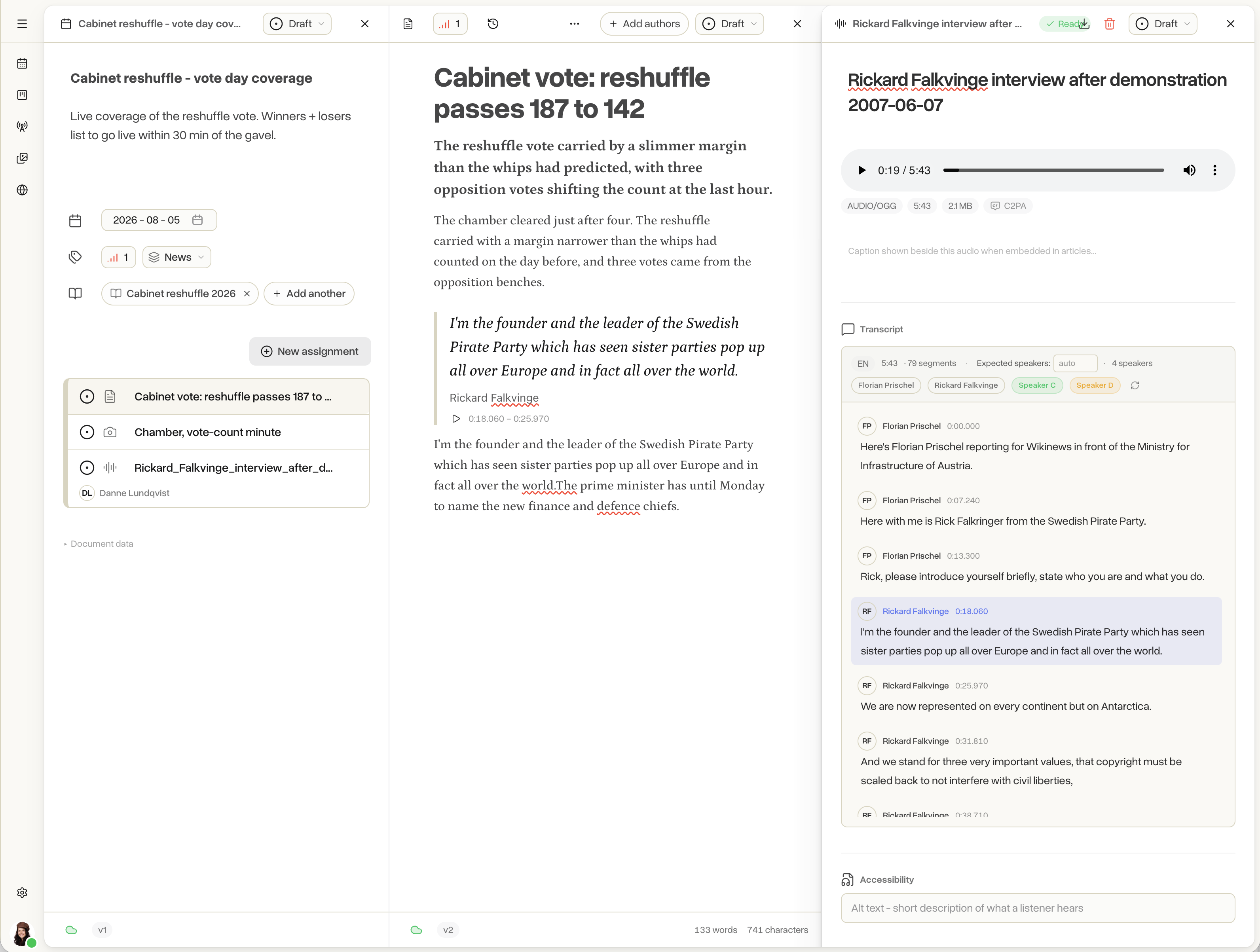
Upload a recording. By the time you open the file the transcript is written, with speakers separated on their own lines. Approve a segment and Tidenda signs it cryptographically - a permanent record that this text is what the recording actually contains. Drag a sentence from the transcript into an article and it lands as a blockquote a reader can play back and check for themselves.

Assets
Photographs, illustrations and graphics live next to the articles that use them. Captions, rights and photographer credit follow the image wherever it goes - into an article, out to a webhook, or onto the public site. Every image is signed cryptographically (Ed25519) at upload, so a downstream reader can prove it hasn't been altered.
Publisher
Turn on the publisher and your organisation has a working public site immediately. Pick a template, publish an article, it appears on the site. When you are ready to run under your own domain, add a DNS record; we handle verification and HTTPS certificates for you.
Integrations
When an article moves through your workflow, a webhook fires and downstream systems - a print system, an archive, an analytics pipeline - can react. The delivery is cryptographically signed so they can verify it came from you. Going the other way, a scoped API key lets an external system push wires, planning items or article writes into Tidenda. The docs cover the full details your operations team needs.
Every delivery is signed twice: HMAC-SHA256 on the request body, and Ed25519 on the article snapshot. Receivers can verify authenticity in any language. Deliveries are idempotent and replayable from the admin UI.
Webhook docsPush documents into your organisation via a scoped API key. Good for custom wire importers, upstream editorial systems and migrations from a legacy tool.
API referenceEvery document transition is published as an event. Downstream consumers subscribe and stay in sync automatically, with a catch-up cursor for consumers that fall behind.
All docsGet started
Start with one user, free for a year. Add colleagues as you grow.